
Ajax KeyPad
- CCTV Lens Guide
- Hard Drive Size Guide
Unless selecting a vari-focal camera (with an adjustable lens) It is important to select the correct camera lens option for where the camera is to be positioned. A smaller lens will give you a wider angle but will be "zoomed out more", while a bigger lens will narrow the angle down and "zoom in more". See below to give you some idea on angles of Megapixel HD Cameras:
| Lens in mm | Approx Viewing Angle (degrees) | Ideal Distance (metres) | Typical usage/notes |
|---|---|---|---|
| 2.8 | 106 | <6 | For seeing as much of the immediate area as possible such as above a doorway/low down/garage soffits (edges can appear slightly warped/distorted) - clearly "zoomed out" |
| 3.6/4 | 83-90 | <12 | A great general purpose option giving great coverage still in the corner of a room or higher up on second floor soffits with less distortion - more of a natural "zoom" |
| 6 | 56 | 6-20 | Narrows down the angle and zooms in to look past the immediate area a little to gain more detail - down a driveway for example from higher up |
| 12 | 24 | 20+ | Zooms in significantly more to look at a gate, entrance or adjascent building |
| 16 | 19 | 24+ | As above but more so |
The amount of hard drive space you require is dictated by how many cameras, as well as their resolution and frame rate settings. Finally you can often make your storage space last a lot longer by enabling motion detected recording rather than continuous, especially if there are long periods of no activity.
|
Resolution (Megapixels) |
Days of storage provided by 1TB per camera (continuous - full 25 frames per second) |
Days of storage provided by 1TB per 4 cameras (continuous - full 25 frames per second) |
Days of storage provided by 1TB per 4 cameras (50% motion- 15 frames per second) |
|---|---|---|---|
| 1 | 44 | 11 | 36 |
| 2 | 22 | 5 | 18 |
| 3 | 17 | 4 | 14 |
| 4 | 11 | 3 | 9 |
| 5 | 9 | 2 | 8 |
| 6 | 8 | 2 | 6 |
| 8 (4K) | 5 | 1 | 4 |
| 12 | 4 | 0.5 | 3 |
As a rule of thumb we recommend a minimum of 2 Terabytes per 4 x 2-4MP HD cameras, as this should give you 2 weeks to a month with a few adjustments on motion detected recording. You may only require the full 25 frames per second on certain cameras if things are fast moving.
(All of our hard drives come fitted and are CCTV specific from one of the major brands)
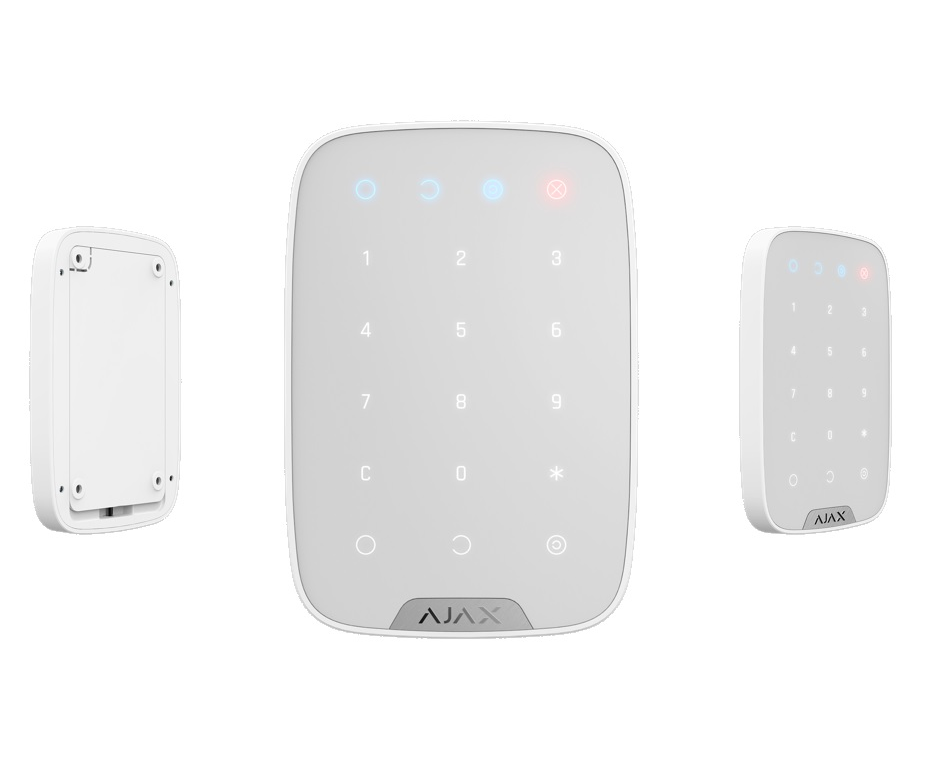
Ajax KeyPad
Wireless touch keypad is used for arming/disarming of Ajax security system. It is mounted in the room near the entrance door to provide quick access to the keypad. The device operates security modes when a digital code is entered on the keypad. Indication notifies of current security status, problems with detectors or breakdown of communication with the hub. Alarm button is available. It notifies of each attempt to guess the password and blocks automatically if the permissible number of entries is exceeded. Ready to operate straight out the box: the battery is already installed, therefore there is no need to disassemble the keypad. With one click, it can be connected to the hub in the mobile application. It can be mounted on the SmartBracket in just a few minutes.
Tech specs
- Radio channel touch keypad
- Wireless, touch
- Indoors
- Operates only with Hub, Hub Plus and Rex
- 15 buttons
- Protection against passcode attack and guessing
- Jeweller radio technology; Communication range with central unit — up to 1,700 m in an open space
Two-way communication between devices
Operating frequencies — 868.0−868.6 MHz
Self-adjusting RF output power — up to 20 mW
Block encryption based on AES algorithm
Keypad scanning period — 12−300 s - -10°С to +40°С
- Protection against fraud
Jamming detection
Tamper-resistant - 150х103х14 mm
- Replacement and repair within 24 months of the date of sale. Batteries are not covered under warranty
